Prototype Steps let you break a single Prototype Task in unmoderated studies into smaller, guided actions. This helps participants stay oriented, understand what they’re expected to do next, and complete tasks in a structured way.
Each step appears as a sub-task within the same prototype context, making it easier for you to test multi-stage flows without creating multiple separate tasks.
Prototype Steps allow you to guide them through this process with clear, step-by-step instructions. Begin by capturing participants’ first impressions and overall feel of the page before they dive into specific tasks. Prototype tasks are not just about opening a link and interacting with the design. They’re about having participants think out loud, share what stands out, and explain what they would do in each context.
How to Setup Prototype Steps
Step 1. Within the prototype task, add steps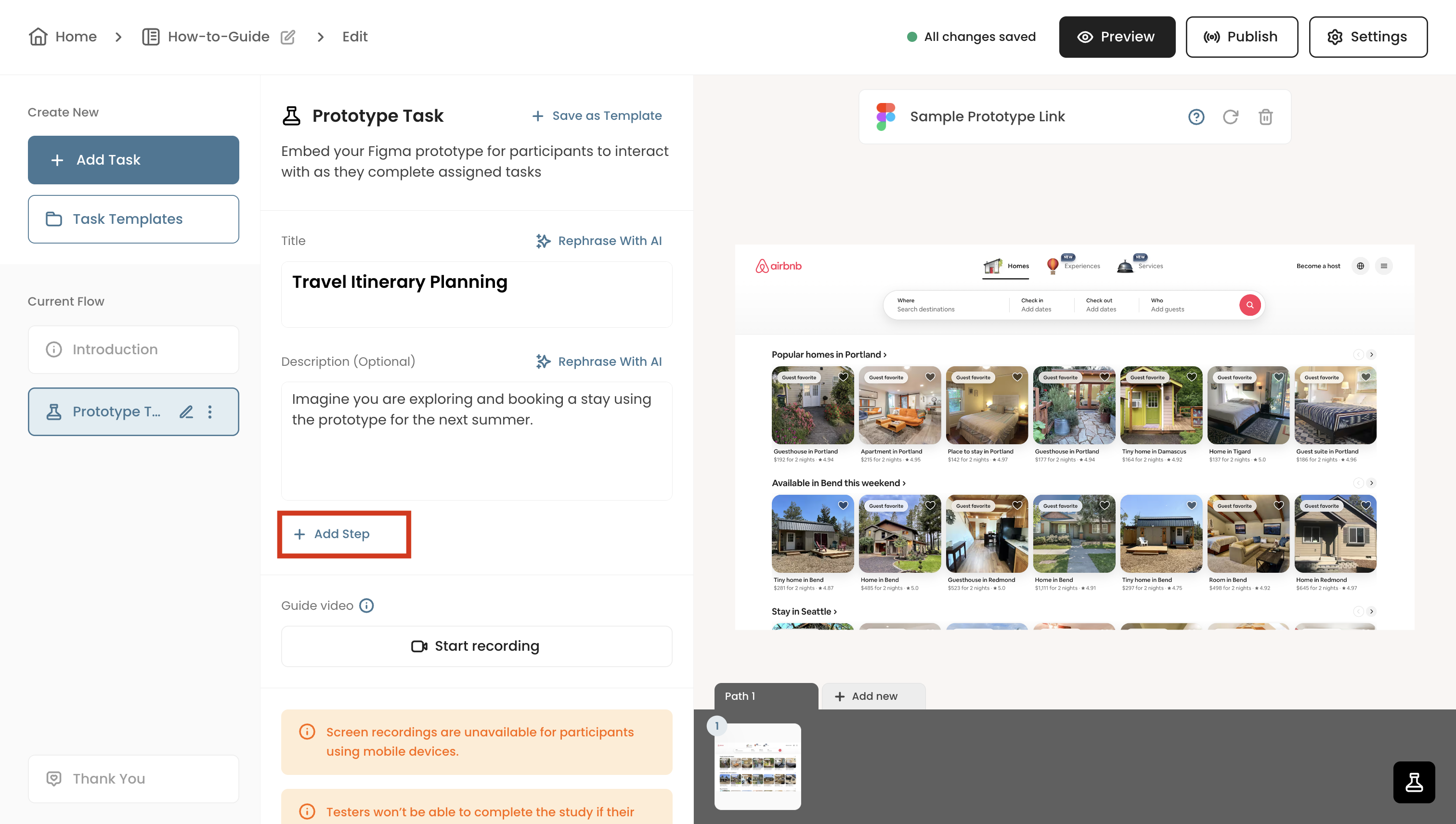
You can use the title and description fields to provide high level context and scenario of the overall task.
Step 1. Within the prototype task, add steps
Selecting + Add Step will prompt a field where you can specify the sub-task. For instance, you can begin the task asking participants about the overall impression of the page before diving to the actual tasks.
You can add as many steps or sub-tasks as needed.
These prototype steps will be prompted one-by-one only when participants complete the previous step. Below is how the steps are displayed to the participants:
Before the start of the task, they're provided with the title and description to provide detailed context of the task.
At each step, they'll be provided with instructions and would need to click next. Once they go through all the steps, they'll be able to finish the task.